
Cookie Clicker is deceptively simple on the surface, but anyone who has played it seriously knows how grind-heavy it becomes as progress scales. Automation, when used thoughtfully, can dramatically improve efficiency without stripping the game of its strategic depth.
This guide explores Cookie Clicker automation, explains how to set up an optimal auto clicker configuration, and shares best practices to maximize cookies per second (CPS) while keeping gameplay balanced and safe.
Table of Contents
Why Automate Cookie Clicker?
As Cookie Clicker advances, manual clicking becomes both impractical and inefficient. Automation helps players:
- Maintain consistent clicking speed over long sessions.
- Optimize CPS during golden cookie chains.
- Reduce physical strain from repetitive clicking.
- Focus more on upgrades, buildings, and strategy.
Using an Auto Clicker doesn’t mean abandoning skill—it simply shifts focus from raw clicking to smarter decision-making.
Understanding Auto Clickers in Cookie Clicker
What Does an Auto Clicker Do?
An auto clicker simulates mouse clicks at a fixed or variable interval. In Cookie Clicker, it can be used for:
- Clicking the main cookie continuously
- Clicking golden cookies quickly before they expire
- Automating repetitive UI interactions
Most modern auto clickers allow you to customize click speed, location, hotkeys, and even record macros.
Optimal Auto Clicker Settings for Cookie Clicker
Click Speed (Clicks Per Second)
Finding the right clicking speed is crucial.
- Beginner to Mid-Game: 10–20 clicks per second is more than sufficient and keeps things stable.
- Late Game Optimization: 30–50 clicks per second can significantly boost CPS when paired with click-based upgrades.
Avoid extremely high CPS (100+) as it can cause browser lag or diminish returns due to in-game mechanics.
Click Type and Location
- Single-Point Clicking: For most setups, configuring the auto clicker to click a fixed location (the main cookie) is ideal.
- Cursor-Following Mode: Useful if you frequently switch between clicking the cookie and manually clicking golden cookies.
Automating Golden Cookies Strategically
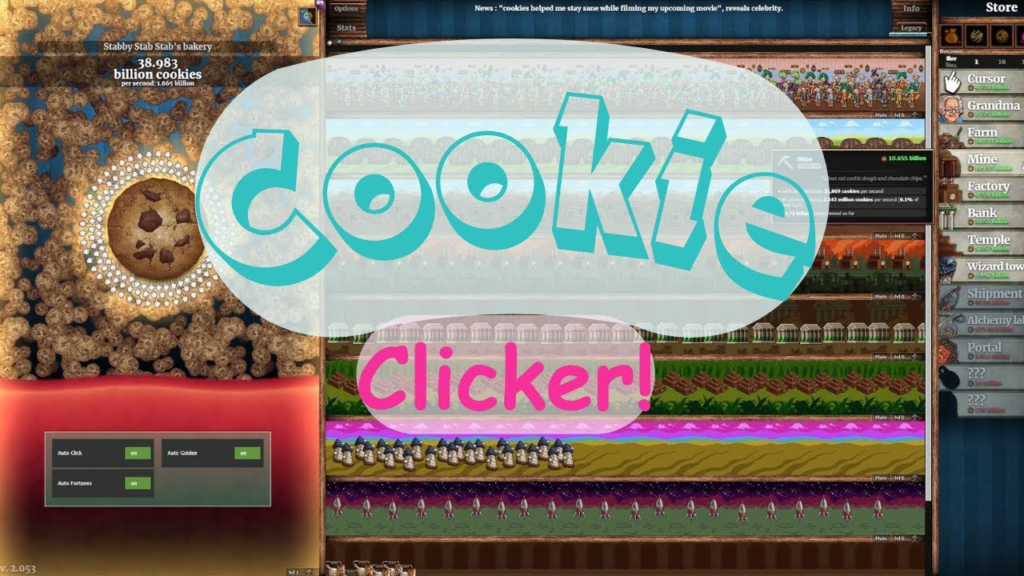
Golden cookies are where Cookie Clicker Automation must be used carefully.
Recommended Approach
- Use hotkey-based auto clicking instead of full automation.
- Activate the auto clicker only when golden cookies appear.
- Keep CPS moderate to avoid accidental misclicks.
Some players also use lightweight macro features to momentarily boost clicking during Frenzy or Click Frenzy effects.
Macros and Recording Features
When to Use Macros in Cookie Clicker
Macro recording is helpful for:
- Repeating short sequences (click cookie → buy upgrade → return)
- Speed-running early ascensions
- Managing consistent farming routines
A subtle, minimal macro setup ensures smooth automation without turning the game fully idle.
Recommended Auto Clicker Tools (Subtle Picks)
While there are many free auto clickers available, experienced Cookie Clicker players tend to prefer tools that are:
- Lightweight
- Customizable
- Stable over long sessions
One such widely used option offers precise interval control, hotkey toggles, and macro recording—making it particularly well-suited for browser-based games like Cookie Clicker. Its simplicity and reliability make it a frequent first choice among automation enthusiasts, especially for long idle sessions.
Browser-Based vs Desktop Auto Clickers
Browser Extensions
Pros
- Easy to install
- No external software
Cons
- Limited CPS control
- Less reliable during long sessions
Desktop Auto Clickers
Pros
- More precise timing
- Macro and hotkey support
- Works across browsers
Cons
- Requires separate installation
For Cookie Clicker, desktop auto clickers generally provide better performance and consistency.
Safety and Fair Play Considerations
Is Auto Clicking Safe in Cookie Clicker?
Cookie Clicker is a single-player game, so automation does not violate competitive fairness. However:
- Excessive CPS may cause crashes.
- Browser-based versions can slow down.
- Cloud saves should be backed up regularly.
Best Practices
- Save frequently
- Keep CPS reasonable
- Avoid running multiple automation tools simultaneously.
Automation should enhance gameplay, not destabilize it.
Balancing Cookie Clicker Automation with Strategy
Automation works best when paired with smart in-game decisions. Focus on:
- Buying click-based upgrades early
- Timing ascensions for maximum prestige gain
- Leveraging buffs like Frenzy and Click Frenzy
- Adjusting auto clicker speed based on current goals
Cookie Clicker rewards thoughtful progression more than brute force clicking.
Final Thoughts
Cookie Clicker automation, when configured optimally, transforms the game from a click-fest into a strategic resource-management experience. By fine-tuning click speed, using macros selectively, and choosing a reliable auto clicker, players can significantly boost efficiency without losing engagement.
The key is subtlety—Cookie Clicker Automation should support your strategy, not replace it. With the right setup, you’ll spend less time clicking and more time watching your cookie empire grow exponentially.
Whether you’re chasing achievements, optimizing late-game CPS, or simply enjoying idle progression, a well-configured auto clicker can be one of the most powerful tools in your Cookie Clicker journey.