
Roblox has evolved into one of the most dynamic gaming platforms in 2026, offering everything from casual simulators and idle games to competitive combat and role-play experiences.
While the creativity on Roblox is unmatched, many popular games rely heavily on repetitive clicking—whether it’s farming coins, training stats, or grinding levels. This is why many players explore using an Auto Clicker for Roblox game to reduce fatigue and improve consistency.
This AutoClicker.us article explains how auto clickers work with Roblox games, the best settings for different gameplay styles, and the essential safety tips every player should follow to avoid account risks.
Table of Contents
Why Roblox Players Use Auto Clickers?
Auto Clickers automate mouse clicks at defined speeds or intervals, allowing players to perform repetitive actions without constant manual input. In Roblox, this is especially useful because many games reward time investment rather than complex mechanics.
Common Roblox use cases include:
- Farming currency in simulator games
- Training stats in click-based games
- Idle progression while multitasking
- Reducing hand strain during long sessions
When used carefully, auto clickers can make Roblox gameplay more comfortable without disrupting the overall experience. Also you can check the article which breaks down what a Fortnite auto clicker is, why players consider using one, the potential consequences, and whether it’s truly worth it in 2026.
Is Using an Auto Clicker Allowed in Roblox?
Roblox Platform Rules
Roblox itself does not explicitly ban auto clickers at the platform level. However, individual games set their own rules, and some developers actively restrict automation.
Game-Specific Restrictions
Many popular Roblox games include anti-cheat systems that detect:
- Unrealistically high clicks per second (CPS)
- Perfectly consistent clicking patterns
- Continuous clicking without breaks
Using an auto clicker responsibly—and with realistic settings—is key to staying safe.
What Makes a Good Auto Clicker for Roblox Game?
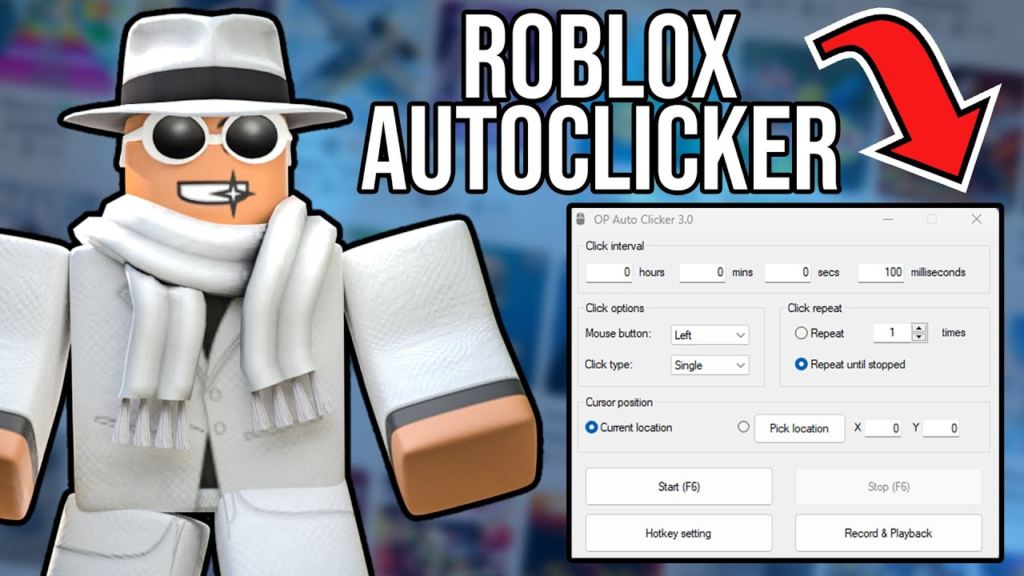
Not every auto clicker works well with Roblox games. The best tools share a few important characteristics.
- Adjustable Click Speed: Roblox games usually function best at moderate CPS levels, typically between 6–15 CPS, depending on the game type.
- Hotkey Control: Quick toggling allows you to stop clicking instantly if something changes in-game.
- Human-Like Click Intervals: Slight timing randomness helps clicks feel natural and reduces detection risk.
- Lightweight Performance: Roblox is not resource-heavy, but a low-impact auto clicker ensures smooth gameplay on all systems.
Recommended Auto Clicker Options for Roblox
Several auto clickers work well with Roblox when configured properly. Rather than focusing on aggressive automation, the most reliable tools prioritize control and stability.
Some tools are better suited for extended idle play, while others excel at short, controlled clicking sessions. The key is choosing software that lets you fine-tune CPS and timing without forcing extreme speeds.
Best Auto Clicker Settings for Roblox Games
1. Simulator and Idle Games
These games reward steady, long-term clicking.
Recommended settings:
- CPS: 8–12
- Click type: Left click
- Interval variation: Enabled (if available)
- Usage: Short bursts with breaks
2. Training and Stat-Based Games
These games often track player behavior more closely.
Recommended settings:
- CPS: 6–10
- Click duration: Controlled sessions
- Randomized delays: Strongly recommended
Lower CPS values are safer and still effective for progression.
3. Combat-Focused Roblox Games
PvP or reaction-based games are the most sensitive to automation.
Recommended settings:
- CPS: 6–8
- Usage: Minimal and situational
- Hotkey control: Essential
In these games, manual play is often better. Auto clickers should be used cautiously, if at all.
How to Set Up an Auto Clicker for Roblox Game?
Step 1: Download from a Trusted Source
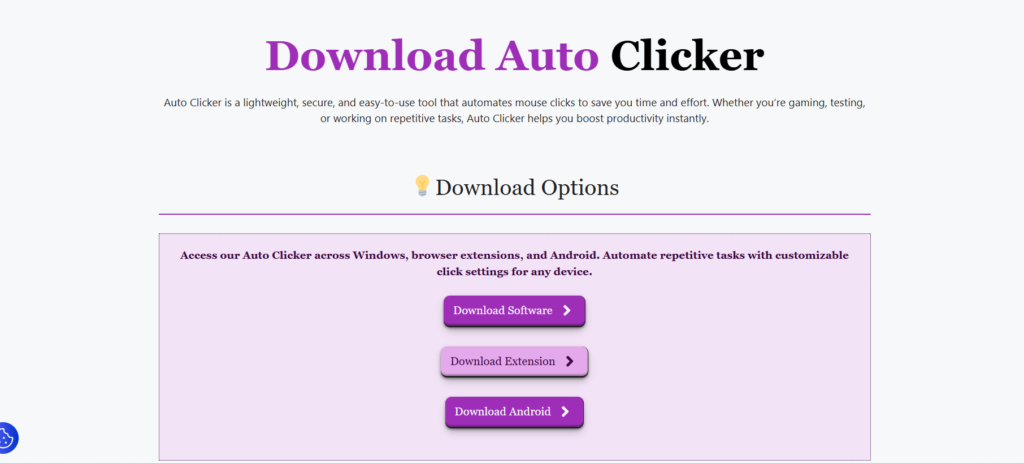
Only use well-known auto clickers from reputable websites. Avoid modified or “boosted” versions. So go to download page and download proper Auto Clicker for Roblox game.
Step 2: Launch Roblox First
Open the Roblox game before activating the auto clicker to ensure proper focus and control.
Step 3: Start with Low CPS
Begin with conservative settings and increase gradually if needed.
Step 4: Assign a Safe Hotkey
Choose a hotkey that doesn’t conflict with Roblox controls, such as function keys.
Step 5: Test in Private or Low-Risk Games
Always test settings in private servers or low-stakes games before using them elsewhere.
Safety Tips for Using Auto Clickers in Roblox
- Avoid Extreme CPS Values: High CPS may seem efficient, but it is the fastest way to get flagged.
- Use Breaks and Intervals: Continuous clicking for hours looks unnatural. Short sessions are safer.
- Never Use Automation in Competitive Games: Ranked or leaderboard-based games often have stricter detection systems.
- Respect Game Developers: If a game explicitly forbids automation, don’t use auto clickers there.
- Protect Your Account: Never use Auto Clickers that require account access, scripts, or browser permissions tied to Roblox login.
Auto Clickers vs Roblox Scripts
Some players confuse auto clickers with Roblox scripts. These are not the same.
- Auto clickers simulate mouse input and operate outside the game.
- Scripts modify game behavior and often violate Roblox’s terms more severely.
Auto clickers are generally safer than scripts when used responsibly.
Final Thoughts
An auto clicker for Roblox games can be a useful quality-of-life tool when used thoughtfully. The goal is not to bypass gameplay, but to reduce repetitive strain and make long sessions more manageable.
By using moderate CPS values, enabling natural timing, and respecting game rules, players can enjoy smoother progression without risking their accounts. As with any automation tool, subtlety, restraint, and awareness matter more than raw speed.