
Automation has become a core part of how we interact with digital platforms in 2026. From gaming and productivity to testing and repetitive online tasks, users increasingly rely on Auto Clicker tool to save time and effort.
However, one common question still divides users: browser extensions vs desktop auto clickers — which is best? Both options automate clicking, but they differ significantly in power, flexibility, safety, and use cases.
This article offers a detailed comparison of browser auto clicker extensions and desktop auto clicker software, helping you choose the right automation solution based on your needs.
Table of Contents
Understanding Auto Clickers in 2026
Auto clickers are tools that automate mouse clicks at predefined intervals or locations. They are widely used for repetitive tasks such as online form submissions, game grinding, UI testing, and data entry.
In 2026, auto clickers typically fall into two categories:
- Browser auto clicker extensions
- Desktop auto clicker software
Each serves a different purpose and comes with its own advantages and limitations.
What Are Browser Auto Clicker Extensions?
How Browser Auto Clickers Work?
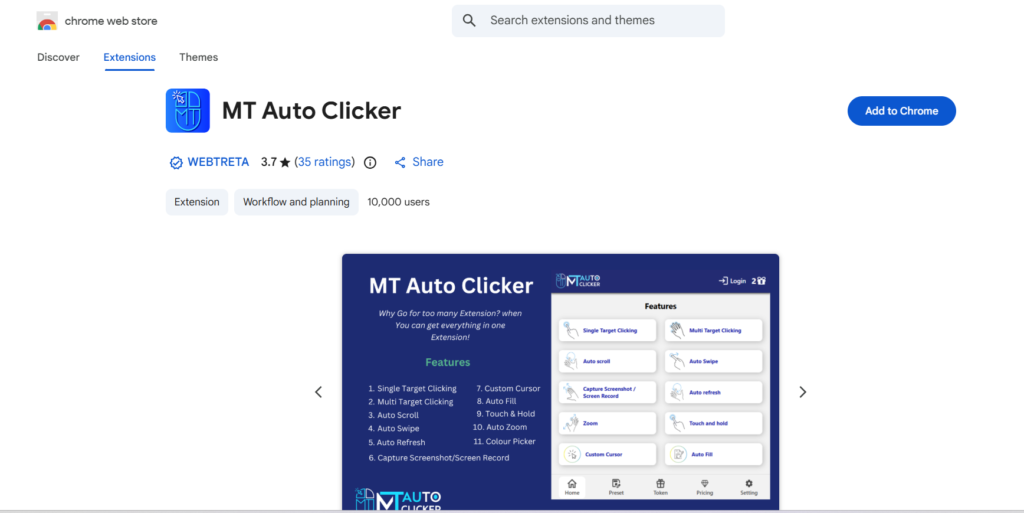
Browser auto clicker extensions are lightweight tools installed directly into browsers like Chrome, Firefox, or Edge. They operate only within the browser environment and are usually limited to web-based interactions.
Common Use Cases
Browser auto clickers are popular for:
- Repetitive clicking on websites
- Online games played inside browsers
- Auto-refreshing pages
- Clicking buttons or links repeatedly
Because they do not require software installation outside the browser, many users see them as a quick and convenient solution.
Advantages of Browser Auto Clicker Extensions
1. Easy Installation and Setup
One of the biggest advantages of browser auto clickers is convenience. You can install them directly from browser extension stores without downloading separate files or going through installation processes.
2. Lightweight and Fast
Browser extensions consume minimal system resources, making them ideal for users with limited hardware or those who want quick automation without running background applications.
3. Ideal for Simple Web-Based Tasks
For tasks that exist entirely within a browser, such as clicking ads, refreshing dashboards, or interacting with online tools, browser auto clicker extensions are often sufficient.
Limitations of Browser Auto Clicker Extensions
1. Restricted to Browser Environment
Browser auto clickers cannot interact with desktop applications, system-level software, or games outside the browser. This makes them unsuitable for advanced automation.
2. Limited Customization
Most browser extensions offer basic click interval settings but lack features like multi-point clicking, screen coordinate targeting, or complex automation scripts.
3. Security and Privacy Concerns
In 2026, browser security is stricter, but extensions still require permissions. Poorly built auto clicker extensions may track activity or compromise privacy if installed from untrusted sources.
What Are Desktop Auto Clickers?
How Desktop Auto Clickers Work?
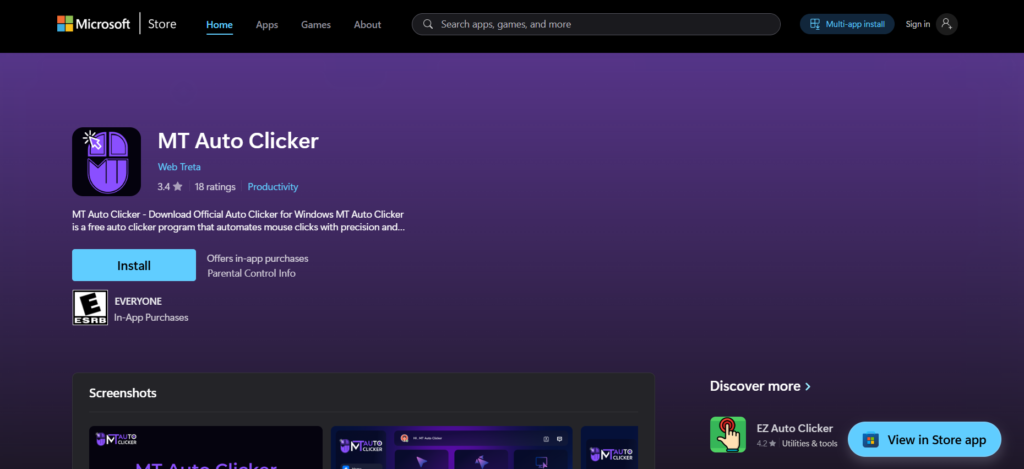
Desktop auto clickers are standalone software programs installed on your computer. They operate at the system level, allowing them to automate clicks anywhere on the screen, across applications and games.
Common Use Cases
Desktop auto clickers are commonly used for:
- PC and mobile emulator gaming
- Software testing
- Data entry automation
- Productivity workflows
- Multi-application automation
They are widely considered the most powerful form of auto clicker software.
Advantages of Desktop Auto Clickers
1. Greater Power and Flexibility
Desktop auto clickers allow users to define exact screen coordinates, adjust click intervals down to milliseconds, and create complex multi-click sequences. This makes them ideal for advanced automation.
2. Works Across All Applications
Unlike browser extensions, desktop auto clickers work across browsers, desktop software, games, and emulators. This universal compatibility is a major advantage.
3. Advanced Features
Most desktop auto clicker tools offer:
- Hotkey controls
- Multi-point clicking
- Click recording and playback
- Low-level system interaction
These features make desktop auto clickers the preferred choice for power users in 2026.
Limitations of Desktop Auto Clickers
- Installation Required: Desktop auto clickers require downloading and installing software, which may deter users who prefer quick, browser-only solutions.
- Slightly Higher Resource Usage: Although modern auto clickers are lightweight, desktop tools generally consume more system resources than browser extensions.
- Security Risks from Untrusted Sources: Downloading auto clicker software from unofficial websites can pose security risks. Users must ensure they use reputable and malware-free auto clicker tools.
Browser Extensions vs Desktop Auto Clickers: Key Comparison
1. Ease of Use
Browser auto clicker extensions are easier to set up and use, especially for beginners. Desktop auto clickers may require configuration, but offer far more control.
2. Performance and Precision
Desktop auto clickers outperform browser extensions in terms of speed, accuracy, and reliability. They are better suited for demanding tasks.
3. Customization Options
Desktop auto clickers provide extensive customization, while browser extensions offer limited controls.
4. Scope of Automation
Browser extensions are limited to websites, whereas desktop auto clickers automate everything on your system.
Which is Best for Gaming?
For gaming, especially PC games or emulator-based games, desktop auto clickers are clearly superior. Browser auto clickers may work for simple web games, but they lack the speed, precision, and flexibility needed for modern gaming in 2026.
Which is Best for Productivity and Work?
If your tasks are browser-based and simple, a browser auto clicker extension may be enough. However, for professionals dealing with repetitive tasks across multiple applications, desktop auto clickers offer unmatched efficiency and control.
Final Verdict
The answer depends entirely on your needs. If you want quick, lightweight automation for basic web tasks, browser auto clicker extensions are convenient and easy. But if you need precision, advanced features, and system-wide automation, desktop auto clickers are the best choice in 2026.
As automation becomes more central to digital workflows, choosing the right auto clicker can significantly boost productivity, reduce fatigue, and help you work smarter—not harder.