
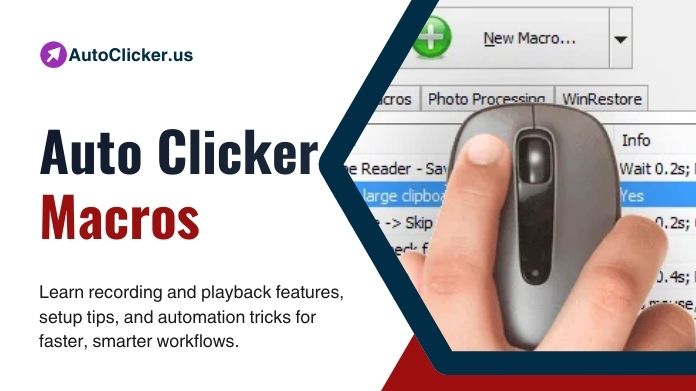
Automation in 2026 has evolved far beyond simple repetitive clicking. Modern auto clicker macros now allow users to record complex sequences of actions and replay them with precision, transforming how repetitive tasks are handled across gaming, productivity, and professional workflows.
At the center of this evolution are recording and playback features, which make Auto Clicker smarter, more flexible, and more efficient.
This article explores how auto clicker macro recording and playback works, why it matters, and how users can benefit from these advanced automation capabilities.
Table of Contents
What Are Auto Clicker Macros?
Auto clicker macros are predefined sequences of automated actions recorded by the user. Unlike basic auto clickers that repeatedly click a single point, macros capture a series of mouse clicks, movements, and timing intervals.
Once recorded, these macros can be replayed as many times as needed, making them ideal for tasks that follow a predictable pattern. In 2026, macro-enabled auto clicker software is widely used in gaming, testing, data processing, and workflow automation.
Understanding Recording and Playback in Auto Clickers
What Is Macro Recording?
Macro recording allows users to capture their mouse actions in real time. Every click, pause, and movement is saved as part of a sequence. The auto clicker then converts this input into a reusable automation script. This feature eliminates the need for manual configuration of click coordinates and timing, making automation accessible even for beginners.
What Is Macro Playback?
Playback is the execution phase of a macro. When activated, the auto clicker repeats the recorded actions exactly as they were captured, maintaining accuracy and timing. Advanced tools allow users to loop macros indefinitely, trigger them with hotkeys, or schedule playback at specific intervals.
Why Auto Clicker Macros Matter in 2026
As digital tasks grow more repetitive and structured, macro-based automation has become essential. Auto clicker macros with recording and playback reduce human error, increase efficiency, and ensure consistency across repeated actions.
In gaming, macros automate resource farming and repetitive combat actions. In professional environments, they streamline software testing, UI navigation, and data entry. For students and researchers, macros save time on repetitive online workflows.
Key Features of Auto Clicker Macro Recording
- Real-Time Action Capture: Modern auto clickers accurately capture mouse movements, clicks, and delays. This ensures that recorded macros replicate human interaction with precision.
- Adjustable Timing Controls: After recording, users can edit delay intervals to speed up or slow down playback. This flexibility is crucial for adapting macros to different environments.
- Multi-Action Sequences: Advanced macro auto clickers allow long and complex sequences involving multiple clicks, pauses, and interactions across different screen areas.
Playback Features That Enhance Automation
- Looping and Repetition: Playback can be set to repeat a macro a specific number of times or run continuously. This is particularly useful for idle tasks and long-running processes.
- Hotkey Activation: Most auto clicker macro tools allow playback to be triggered or stopped using customizable keyboard shortcuts, improving control and safety.
- Playback Speed Control: Users can fine-tune playback speed to match system responsiveness, game mechanics, or software constraints.
Auto Clicker Macros vs Simple Auto Clicking
Simple auto clickers are limited to repeating a single action. While effective for basic tasks, they lack flexibility. Macro-based auto clickers, on the other hand, automate entire workflows.
Recording and playback features allow users to automate decision-free sequences that would otherwise require constant attention. This makes macros the preferred choice for advanced automation in 2026.
Use Cases for Auto Clicker Macros
- Gaming Automation: Auto clicker macros are widely used in RPGs, idle games, and strategy games to automate grinding, crafting, and resource collection.
- Productivity and Office Work: Macros help automate repetitive tasks such as navigating software menus, filling forms, and managing dashboards.
- Software Testing and QA: Testers use macro playback to repeatedly execute the same interaction flow, ensuring consistency and saving time during regression testing.
Best Practices for Using Auto Clicker Macros
- Keep Macros Simple: Short, focused macros are easier to debug and adapt. Avoid recording unnecessary movements or actions.
- Test Before Long Runs: Always test macro playback on a small scale before running it for extended periods.
- Use Trusted Software: In 2026, users should rely on safe and reputable auto clicker macro software to avoid security risks.
Are Auto Clicker Macros Safe and Legal?
Macro usage is generally safe for personal productivity and offline tasks. However, some online platforms and games may restrict or prohibit automation.
Users should always review terms of service before using auto clicker macros in restricted environments. From a security standpoint, macro-enabled auto clickers are safe when downloaded from official or trusted sources.
Choosing the Right Auto Clicker with Macro Support
When selecting an auto clicker, users should prioritize reliable macro recording, smooth playback, editing flexibility, and hotkey control. The best tools in 2026 combine ease of use with powerful customization.
Conclusion
Auto clicker macros with recording and playback features represent the future of automation. They go beyond repetitive clicking to automate entire workflows with accuracy and efficiency.
As automation continues to shape digital interaction in 2026, mastering macro-based auto clickers can save time, reduce effort, and unlock a smarter way to work and play.